
To access Telsip services and subscribe to any plan, you must first create a company account. Follow the steps below to complete the registration process:
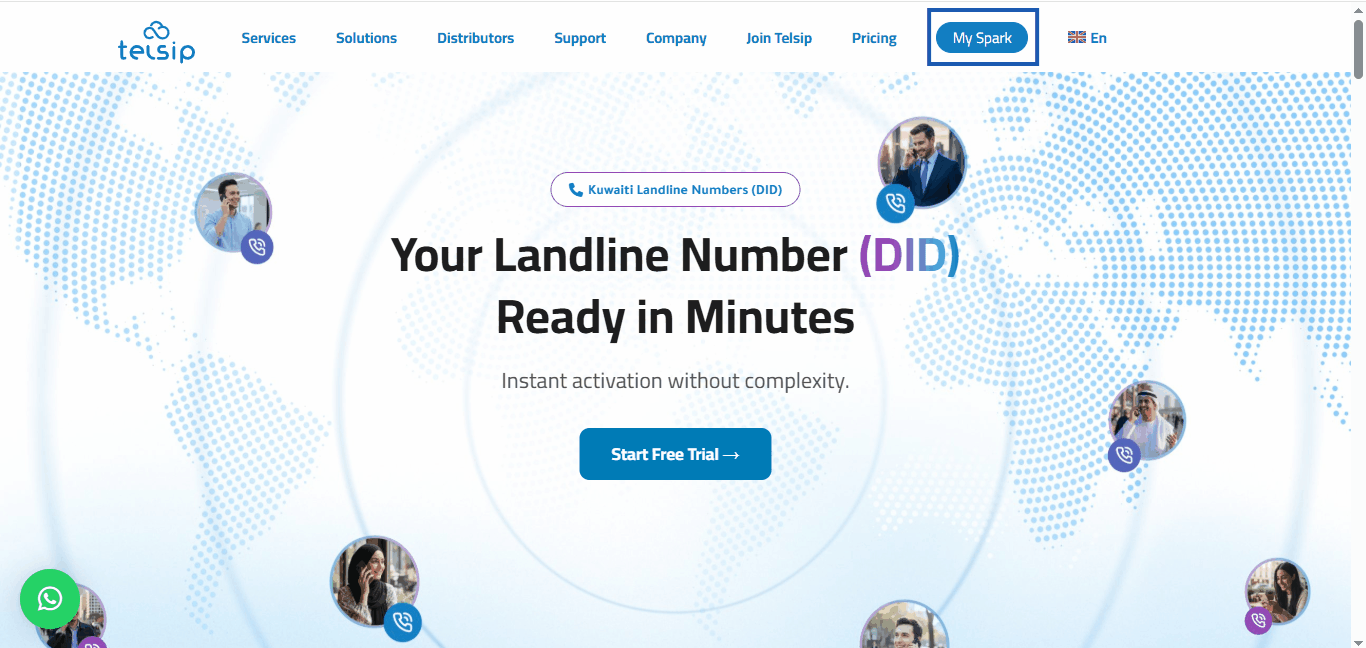
- Go to Telsip website.
- Click on My Spark to open the login page.
- Select Register your company.

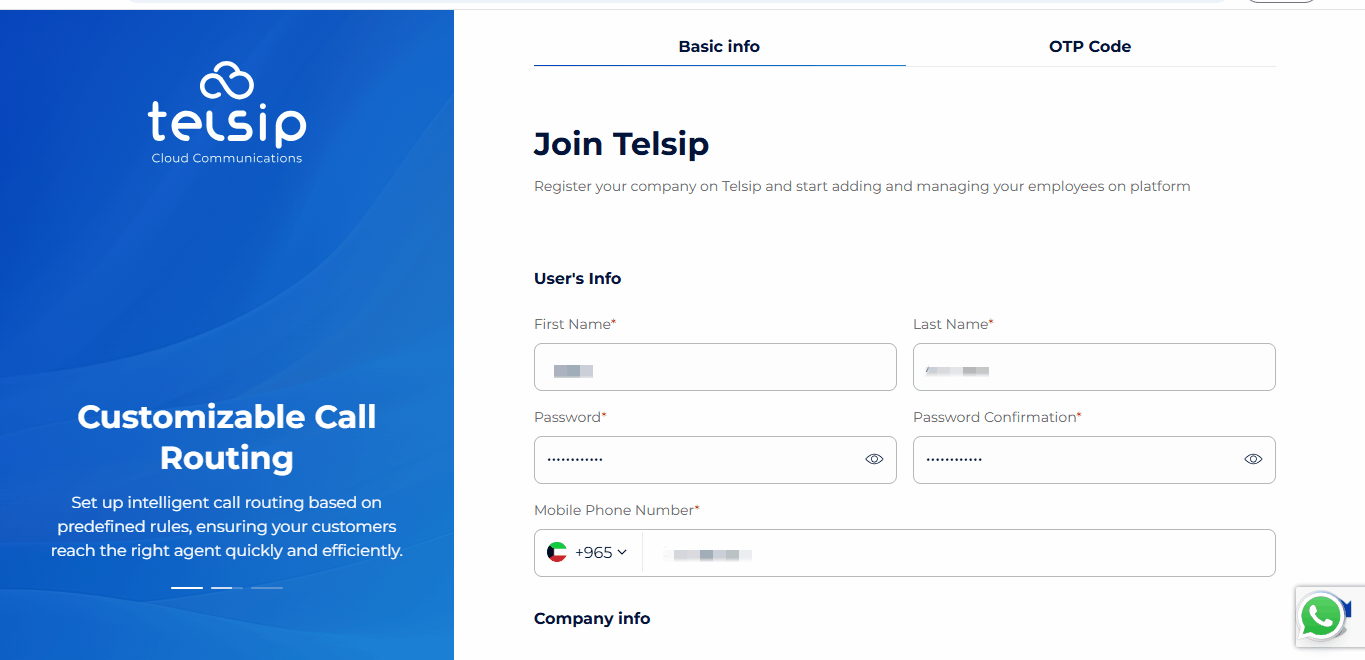
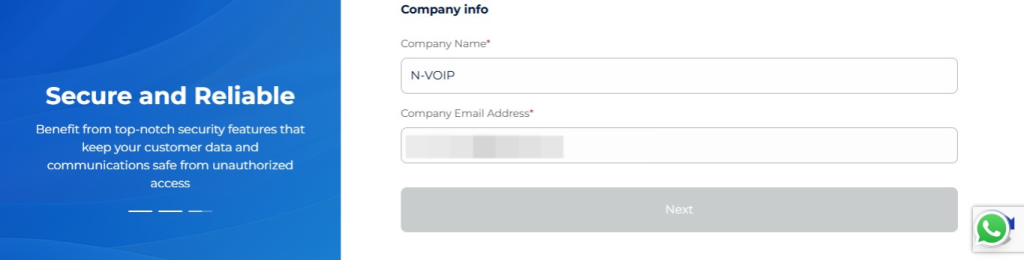
- Fill in the required details:
- Full name
- Password for the company account
- Email address
- Company name
- Mobile number
📌 Note: The Full Name (first and last name) and Company Name can be entered in either Arabic or English.
- After entering your company information, you will need to verify your mobile number using a One-Time Password (OTP).
- Choose how you would like to receive the OTP: via SMS or WhatsApp.
- Enter the OTP to verify your mobile number and continue the registration process.
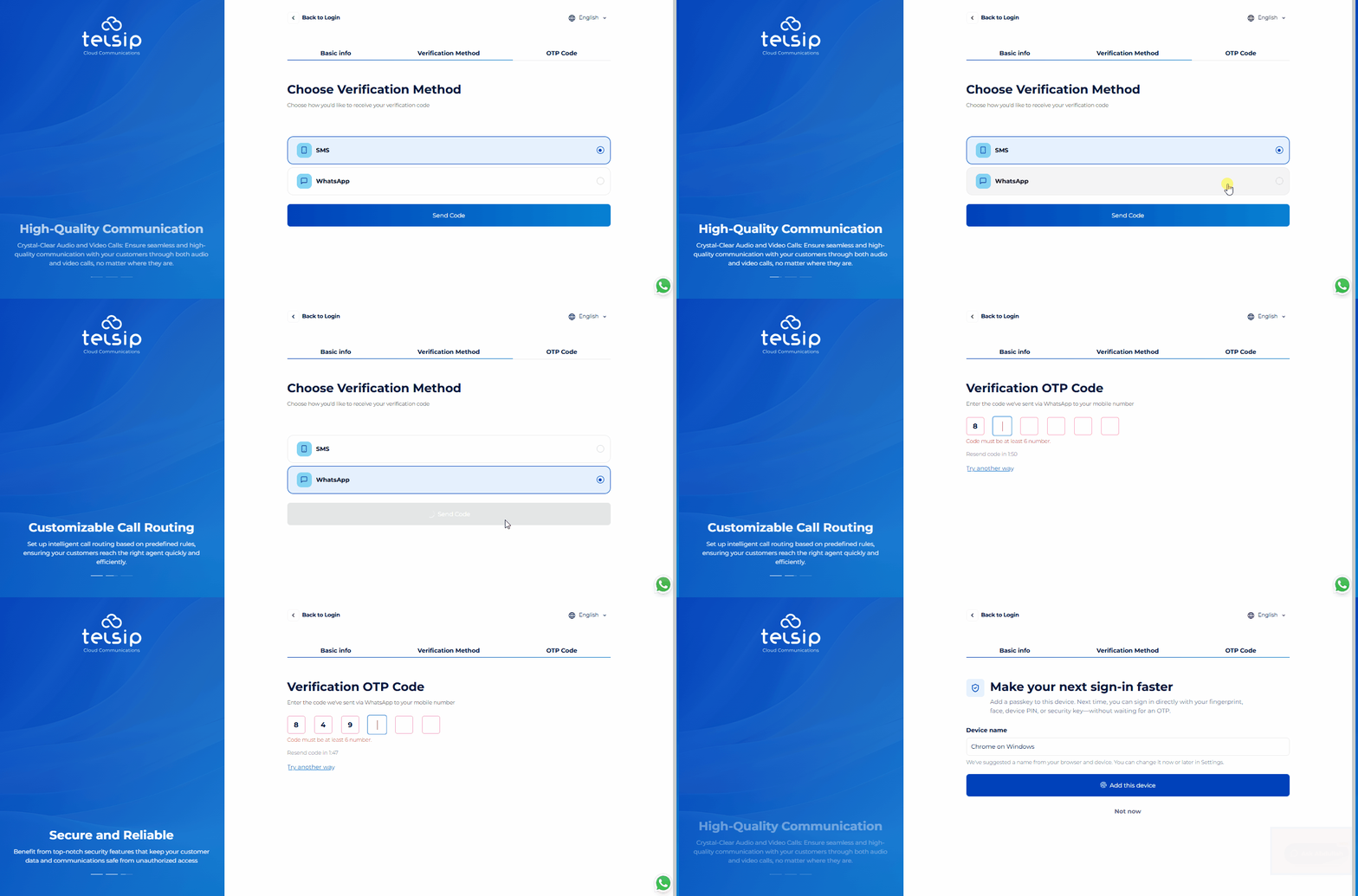
- After verifying your mobile number with the OTP, you will see an optional Passkey setup for faster and more convenient future sign-ins.
- You can give each Passkey a device name so you can easily identify which device it belongs to. You can then save the Passkey using one of the available methods:
- Password Manager: Save the Passkey using the password manager supported by your browser, such as Google Password Manager.
- Phone or Tablet: Scan the displayed QR code using your phone or tablet, then confirm using the device’s available screen lock method, such as fingerprint, face recognition, PIN, pattern, or password.
- External Security Key: Save the Passkey on a compatible external security key, such as a USB security key.
📌Notes:
- Setting up a Passkey is optional. You can select “Not now” to skip this step and continue. You can also return later and set up a Passkey at any time from the Settings section in your company account.
- The Password Manager / PIN option is only available when your browser has an active user profile or password manager session that supports saving Passkeys. If you are using Guest mode or browsing without signing in to a supported browser profile, this option may not appear because no active password manager profile is available to store the Passkey.
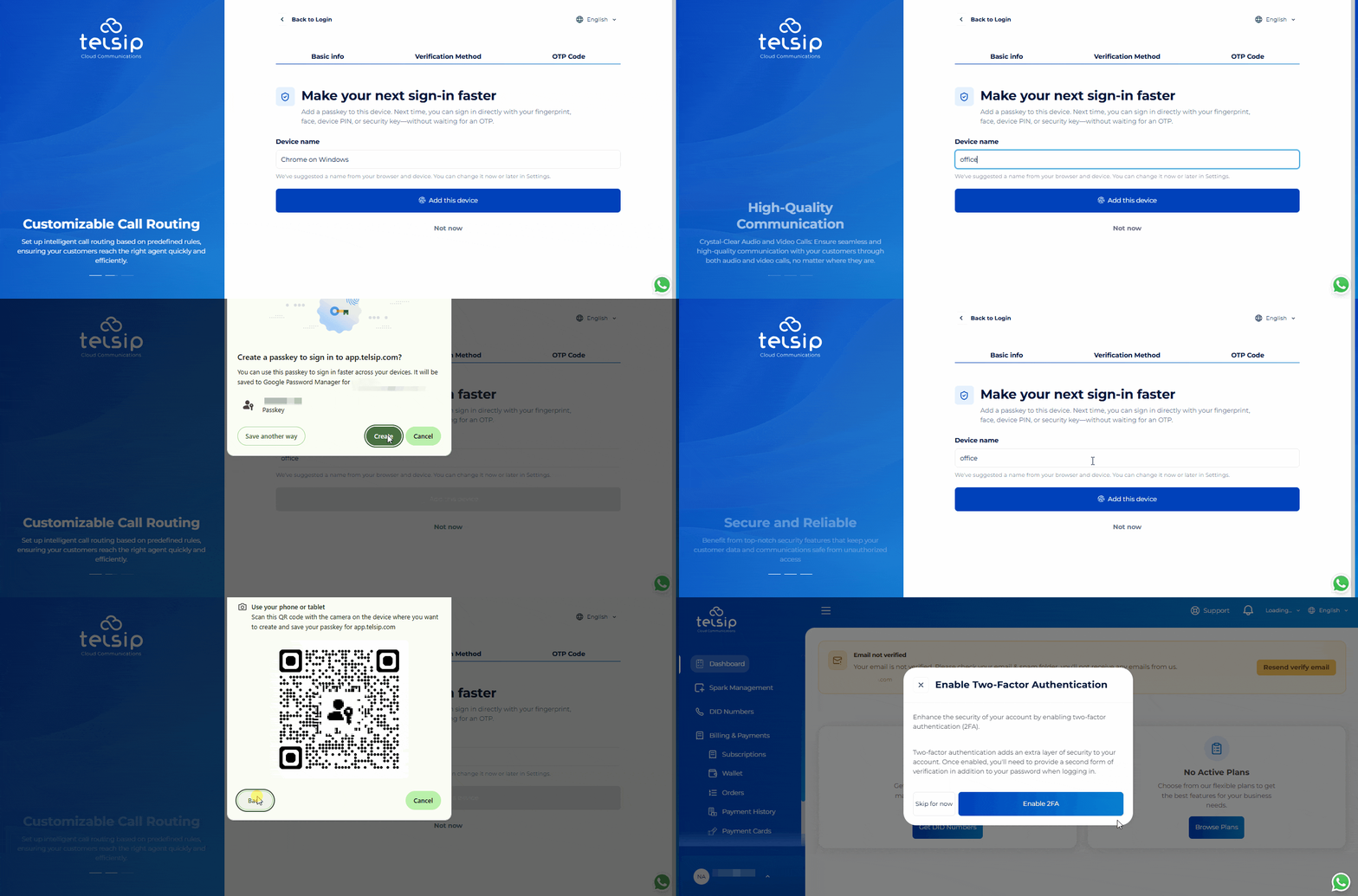
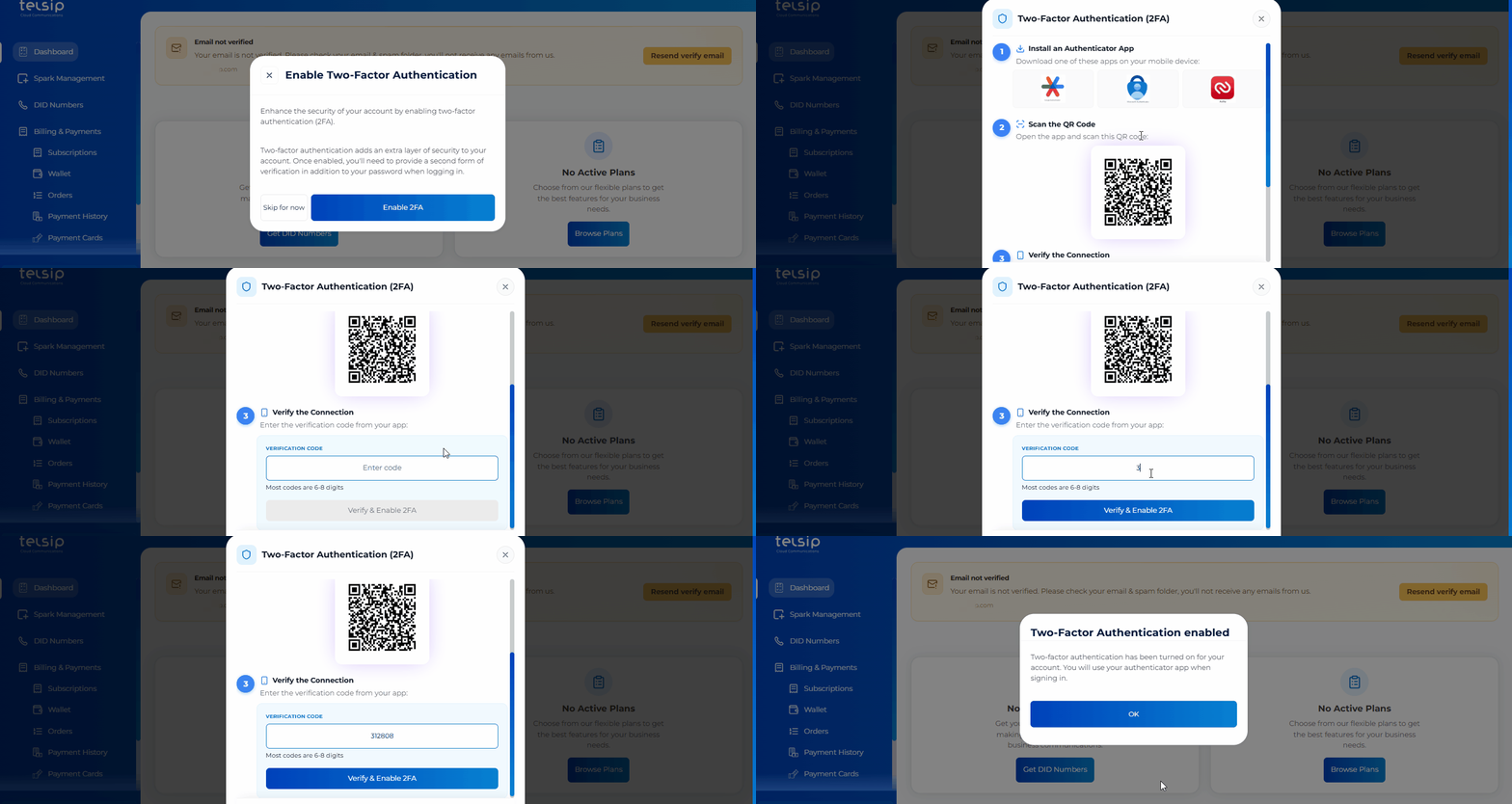
- After completing or skipping the Passkey setup and logging in to your account, you will see an option to enable Two-Factor Authentication (2FA) for additional security.
- We highly recommend enabling 2FA using an authenticator app such as Google Authenticator.
- During setup, the system will show you a QR code and a setup key. Scan the QR code or enter the setup key in your authenticator app to add your Telsip account.
- Enter the OTP generated by the authenticator app to complete the activation.
- Once 2FA is enabled, a new verification code from the authenticator app will be required every time you log in.
📌 Note: When 2FA is enabled, verification codes will no longer be sent via SMS or WhatsApp to your registered mobile number.
- Next, you will be asked to verify your email address:
- Check your inbox for the verification email.
- Click the verification link to confirm your email, which will redirect you to the Telsip User Portal, confirming that your email has been successfully verified.
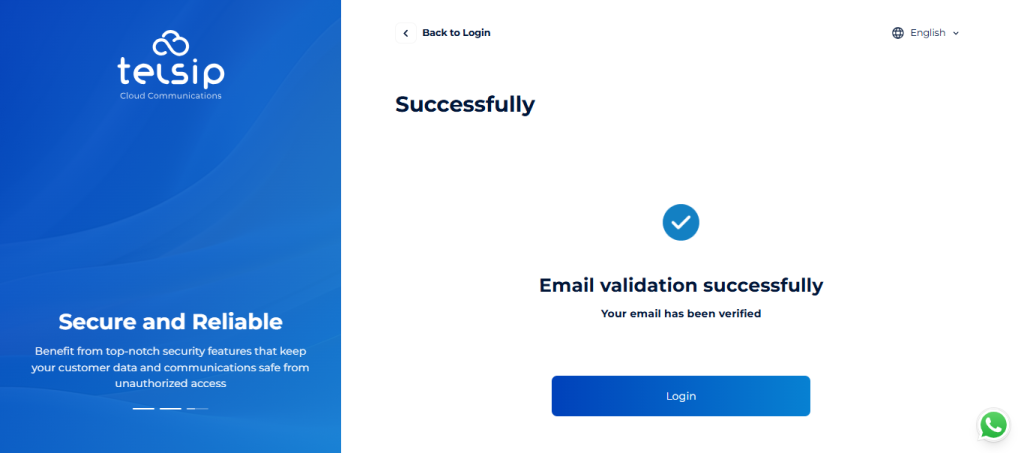
- Once all these steps are completed, your company account will be ready, and you can start subscribing to our services.