
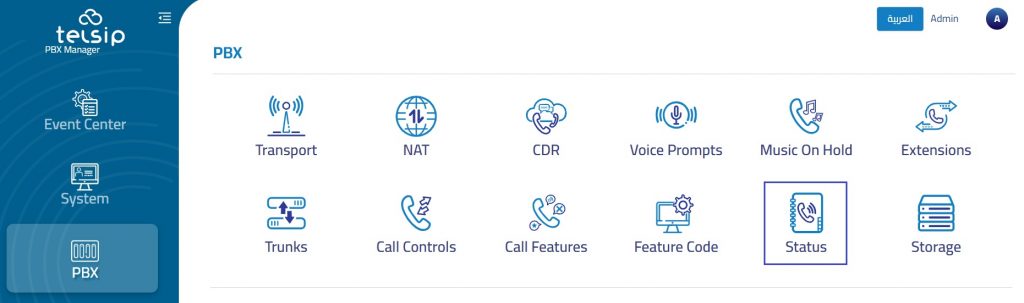
The Status section is used to monitor the current availability of extensions and trunks within the PBX system. It provides administrators with a quick operational view of which endpoints and SIP trunks are online, offline, or available for communication.
This section helps administrators verify registration status, troubleshoot connectivity issues, and confirm that extensions and trunks are ready for call handling.
Extension
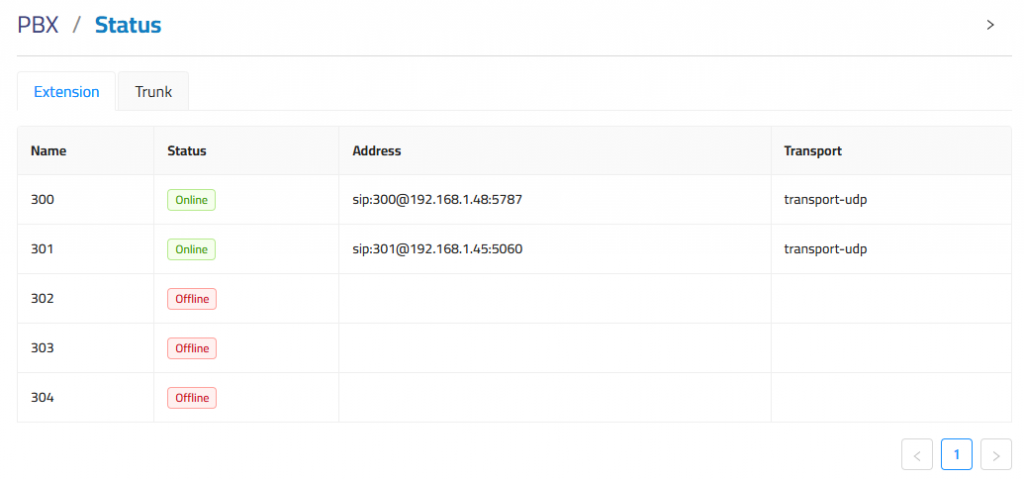
This section lists all configured SIP extensions along with the following details:
- Name: Extension number.
- Status: Indicates whether the extension is Online (registered and active) or Offline (not currently registered).
- Address: Displays the SIP URI of the extension, including the IP address and port used for registration.
- Transport: Specifies the protocol used for SIP signaling (e.g.,
transport-udp).
Trunk
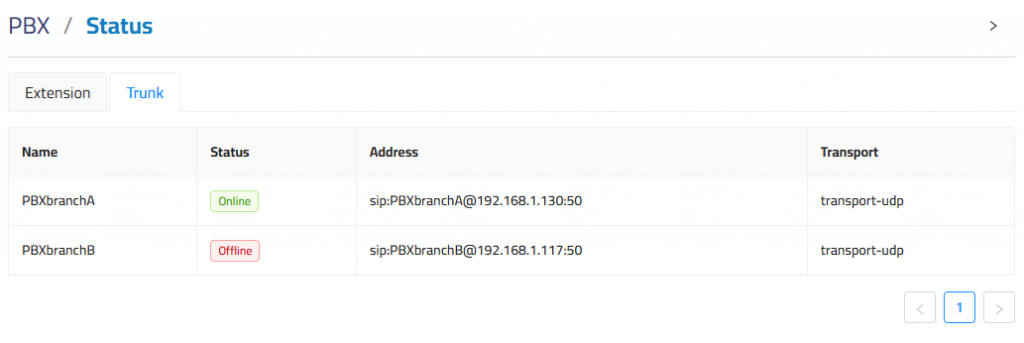
This tab shows the connectivity status of SIP trunks—typically used for linking PBX systems or connecting to external providers.
- Name: Identifier of the trunk (e.g., remote PBX or SIP provider).
- Status: Indicates whether the trunk is Online (registered/connected) or Offline.
- Address: SIP URI including trunk name, IP address, and port.
- Transport: Transport method used for SIP communication (e.g.,
transport-udp).