
The Permissions page lists every permission available in Telsip Omnichannel Platform. Each permission allows users to view or do something specific, such as reading conversations, assigning them to agents, or exporting reports.
Permissions are not given to users directly. You add permissions to a group, and every user in that group gets them.
- View permissions:
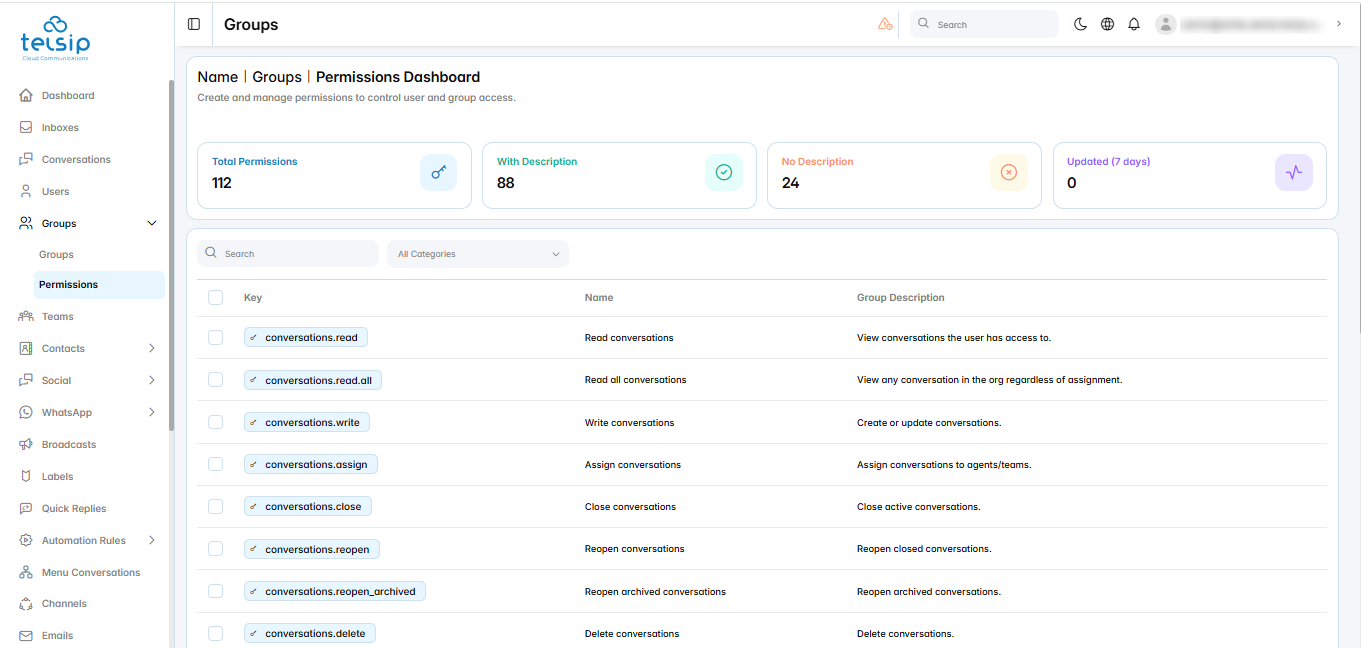
- Click Groups from the sidebar menu, then click Permissions.
- The cards at the top show the total number of permissions, how many have a description, how many do not, and how many were updated in the last 7 days.
- The table shows each permission’s key, name, and description.
- Find a permission:
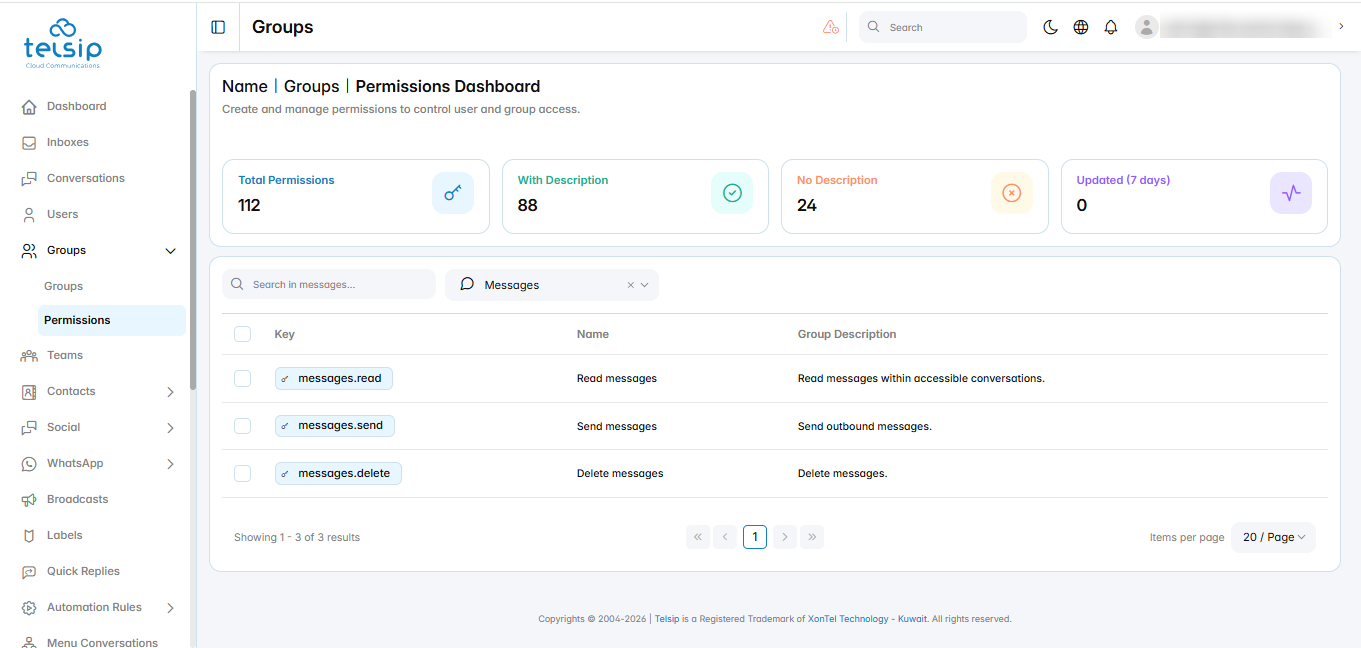
- Use the category filter to show the permissions of one area only, such as Conversations, Contacts, Reports, or WhatsApp Templates.
- Each permission key starts with its area, followed by the action. For example:
- messages.read: read messages within the conversations the user can access.
- messages.send: send messages to customers.
- messages.delete: delete messages.
📌 Note: To see all the permissions a specific user has, open the user from the Users page, then click the Permissions tab.