
- On your first login, you will be redirected to the Plans page.
📌 Note: If you log in later, you can access the Plans page anytime from the Subscriptions section.
- Select your subscription type
- Monthly plans
- Annual plans
- For Annual Plans, each plan shows:
- The equivalent monthly cost
- How much you save compared with the monthly plan
- The total amount billed annually
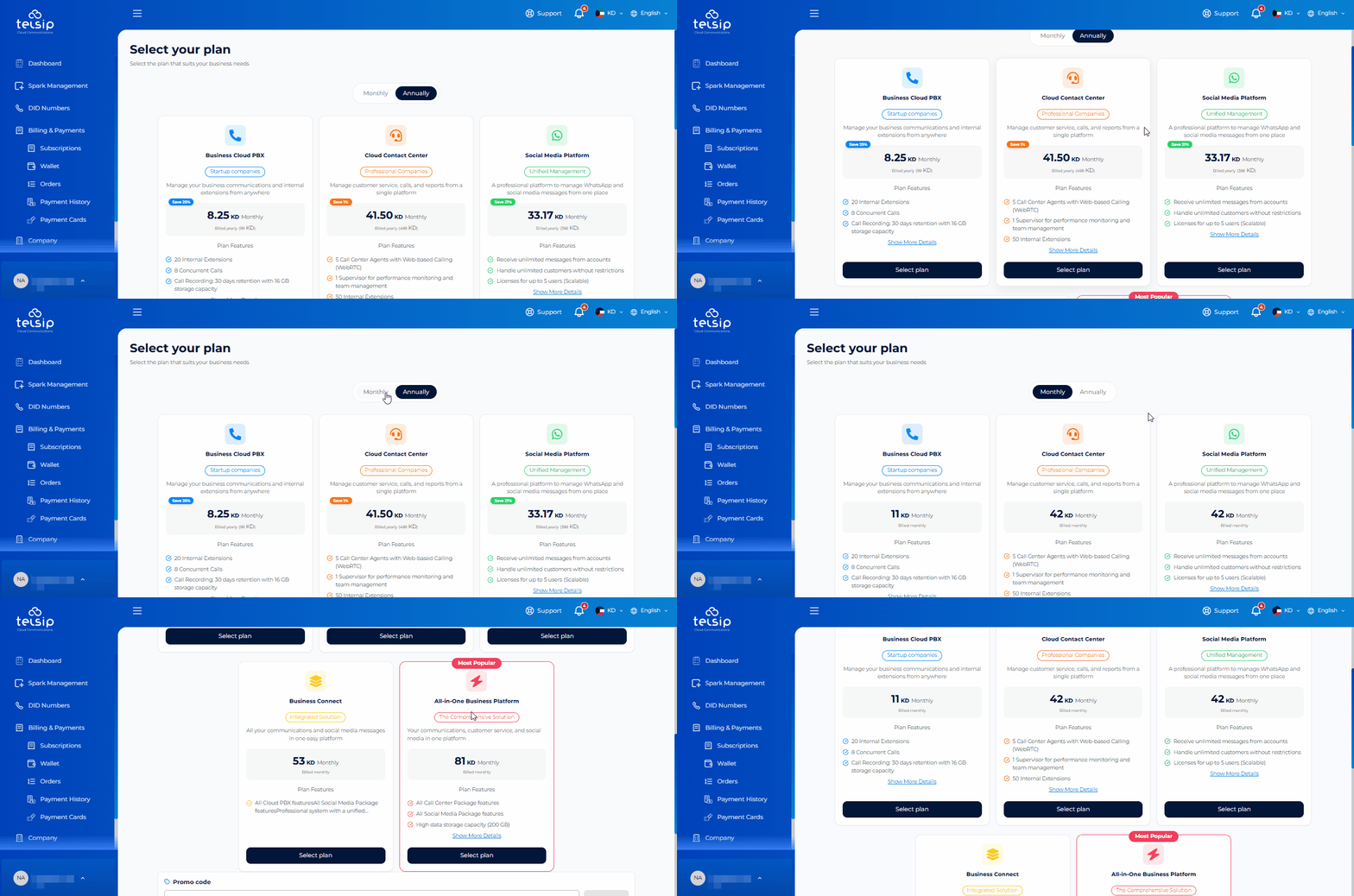
- Select the plan that best fits your business needs.
- Once you select a plan, the available options for that specific plan will appear, including:
- Add-Ons: Optional features that can be added to enhance your subscription.
- One-Time Services: Additional services that are purchased once and do not renew with the subscription.
- Choose any Add-Ons or One-Time Services you need, or continue without adding them.
- If you have a Promo Code, enter it in the Promo Code field and apply it. Once applied successfully, the eligible discount will be calculated automatically and reflected in the Summary section, including the discount amount and updated final total.
- Choose your preferred domain name.
- At the bottom of the page, review the Summary section, which displays:
- Your selected plan
- Selected Add-Ons
- Selected One-Time Services
- Applied Promo Code discount, if any
- The final amount to be paid
- Confirm your selections and proceed to payment.
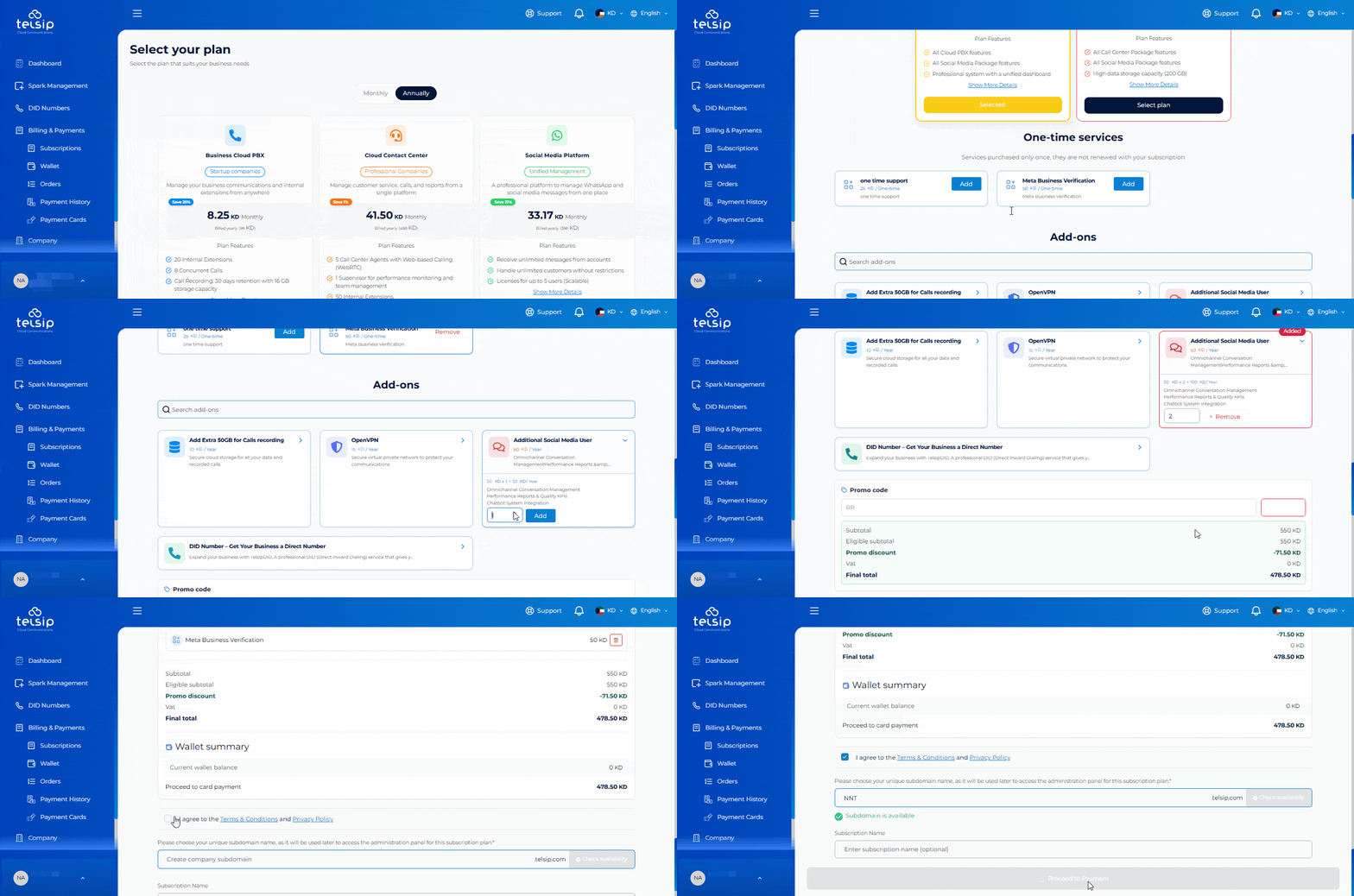
📌 Note: Promo Code discounts may vary depending on the code conditions, eligible plans, services, and validity period.
- Select your preferred payment method from the available options. You can pay using KNET, Apple Pay, major international Credit Cards, Google Pay, Samsung Pay, or supported regional payment methods such as Mada, BenefitPay, NAPS, and OmanNet.
- Once the payment is completed successfully, your subscription will be activated. The system may take up to 5 minutes to become fully ready.
📌 Note: You can save your card details during checkout for faster future payments. Your information is securely encrypted.
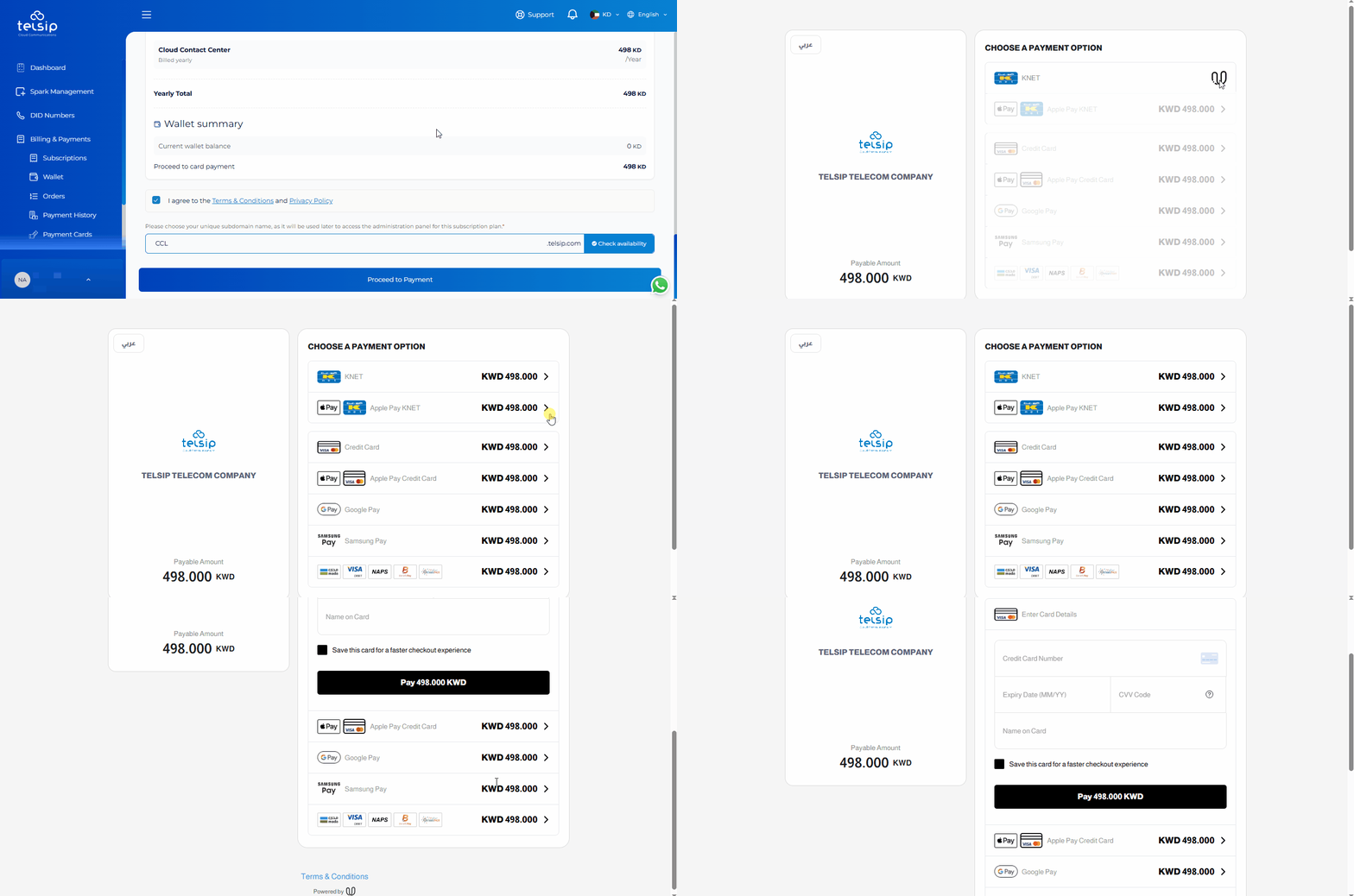
- After payment completion:
- You will receive a purchase confirmation email listing all purchased items, along with the invoice attached as a PDF.
- You will receive an email to set up your admin password. This applies whether your plan includes Cloud PBX or Call Center.
- If your plan includes Social Media, you will receive a separate email containing your login credentials for the Omni-Channel platform.
- After setting up your admin password, enter your chosen domain directly into your browser to access the system.
- Use your admin credentials to log in and start using the system.
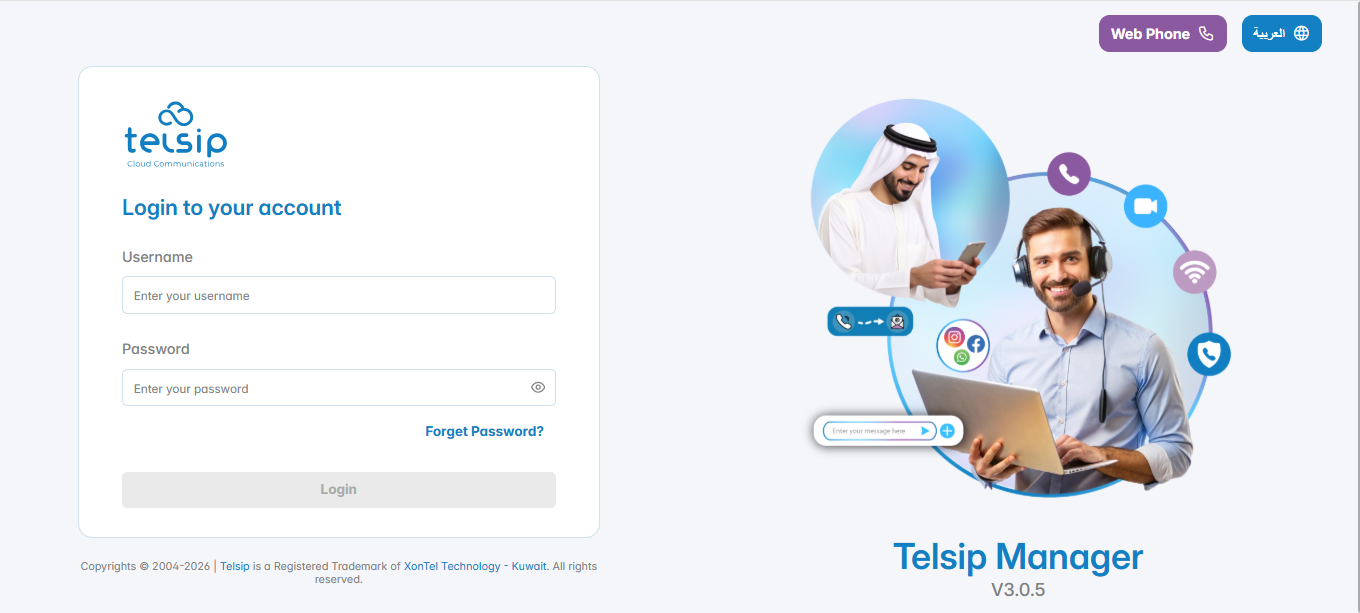
📌 Note: To learn more about System login and features, visit the Telsip Cloud PBX section.