
The Phone section in the Telsip Mobile Application acts as your dialer, allowing you to make calls easily.
- 📞 Dial Numbers: Enter the number you want to call, whether it’s another extension on your PBX or an external mobile/landline number.
- 🎥🔊 Call Options: Choose between Video or Audio calls.
- 💾 Save Numbers: Option to save the dialed number directly to your device contacts for future use.
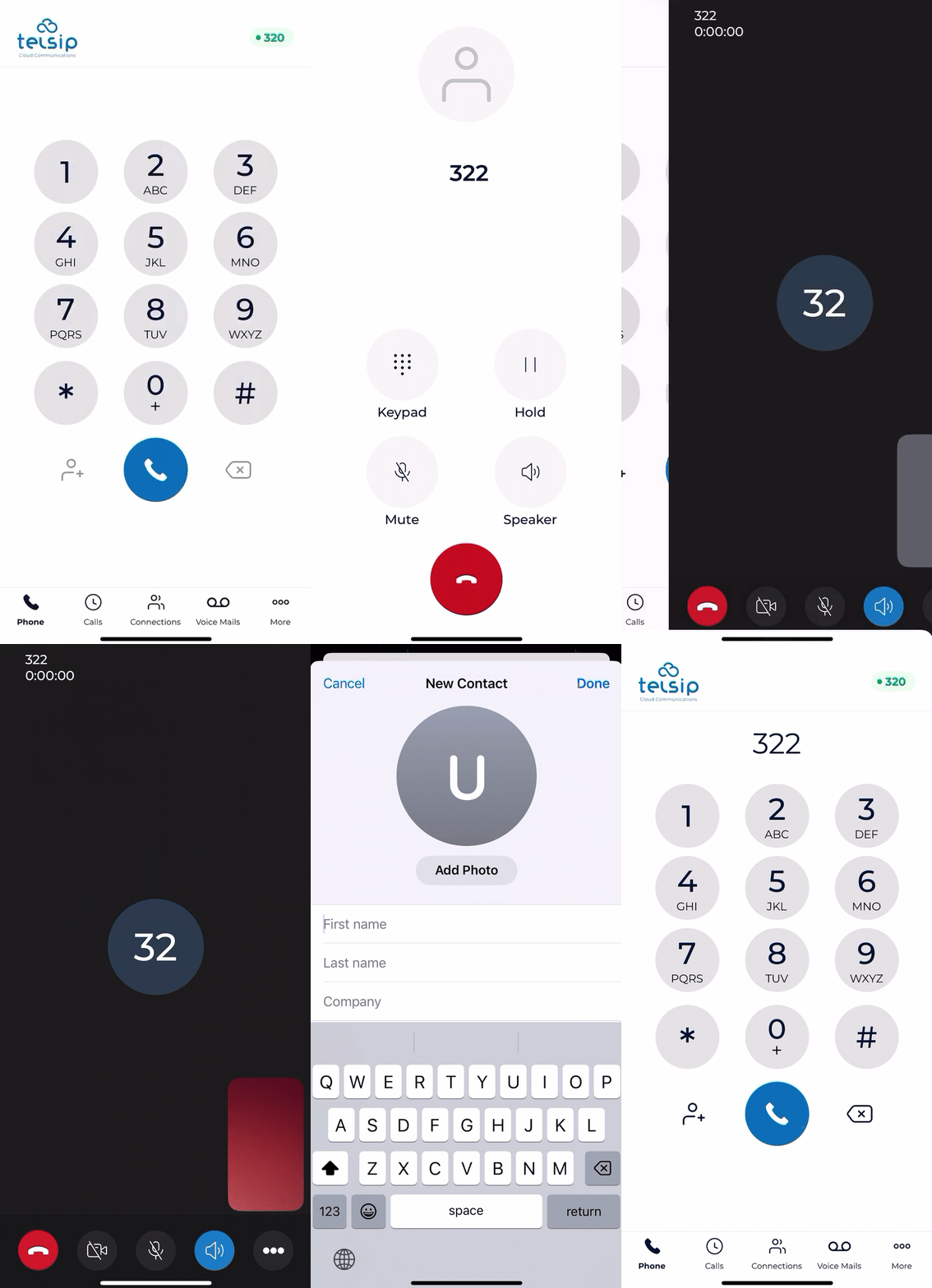
📌 Note: Ensure you have a stable internet connection for HD audio and video calls.
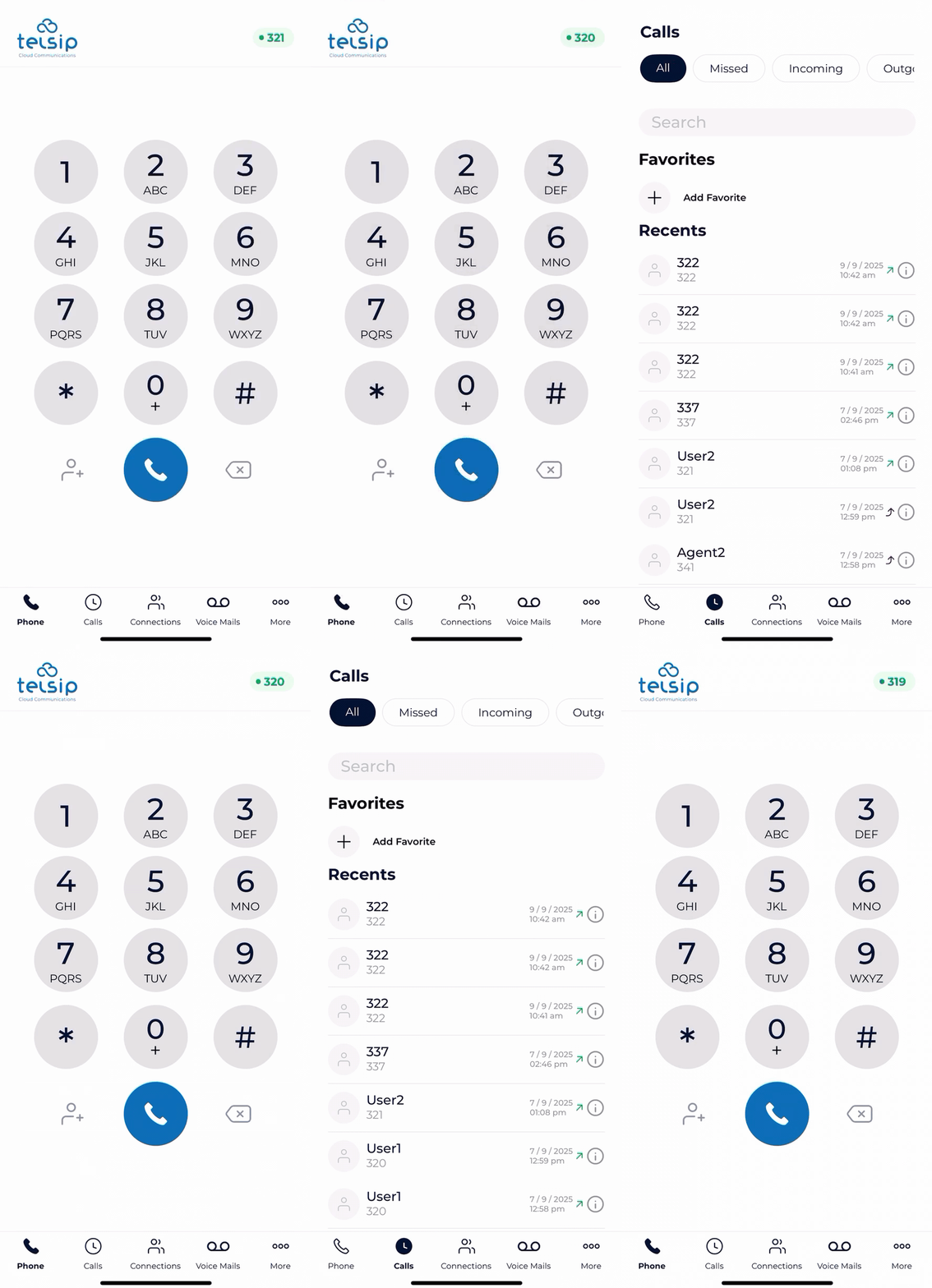
- 🔃Switch Accounts: You can switch the default account used for calls and data (Call History, Voicemail, Extensions List) by tapping on the extension number shown at the top. A list of all added accounts (with Extension Number + Domain) will appear, and you can choose the one you want.
- 🎛️ During a Call
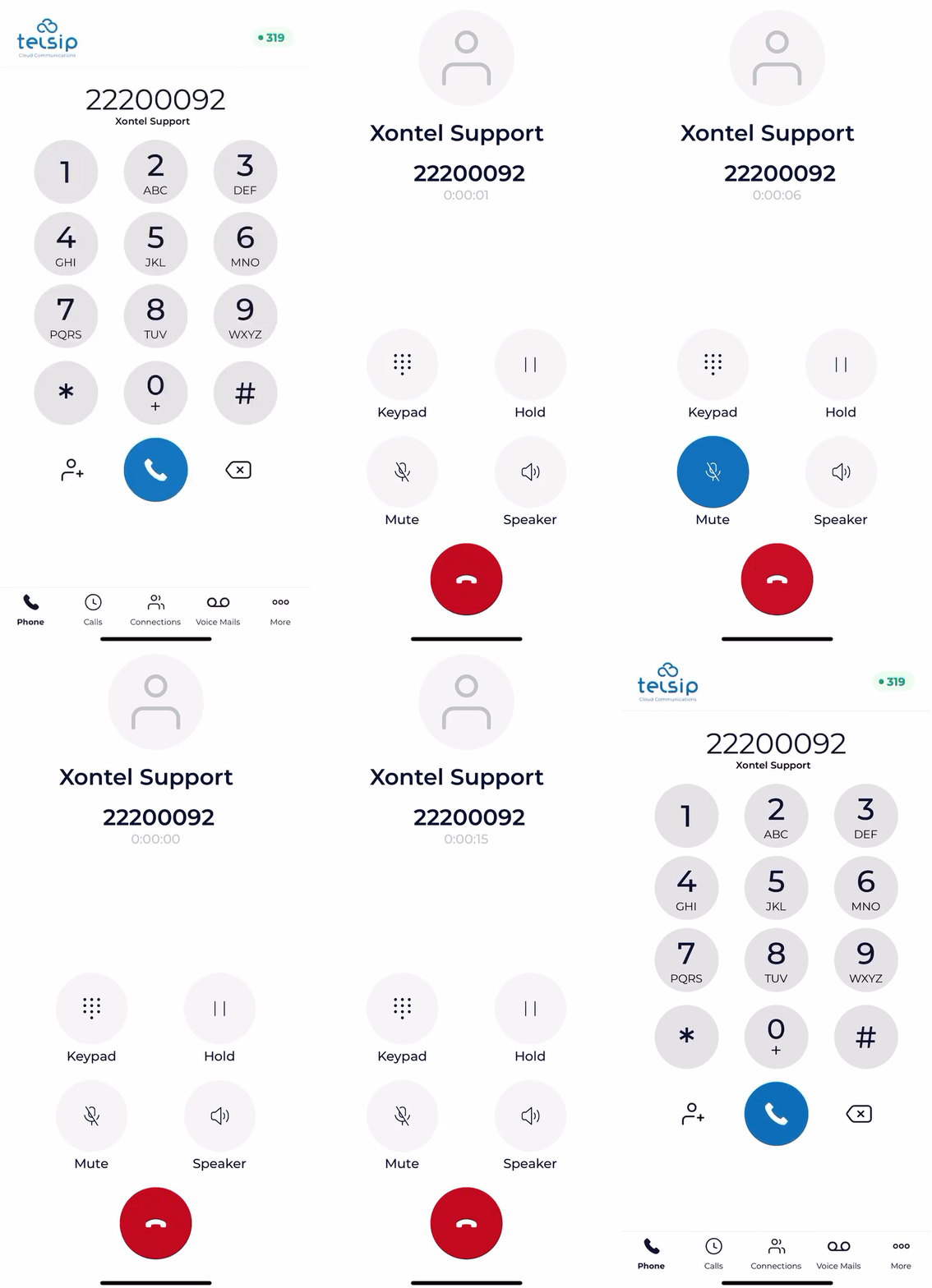
- Once the call is connected, you can manage it with the following options:
- 🔊 Speaker: Turn on the speaker to talk hands-free.
- 🔇 Mute: Mute your microphone so the other side cannot hear you.
- ⏸️ Hold: Put the call on hold when needed.
- 🔢 Keypad: Open the keypad to enter numbers or navigate IVR menus.
- Once the call is connected, you can manage it with the following options:
- 🎥 Video Call Specific Options
- 📷 Front/Rear Camera: Switch between the front and rear cameras.
- 🎥 Camera On/Off: Turn your camera on or off.
- 🖼️ Move Self-View: Drag and move your own video preview anywhere on the screen.
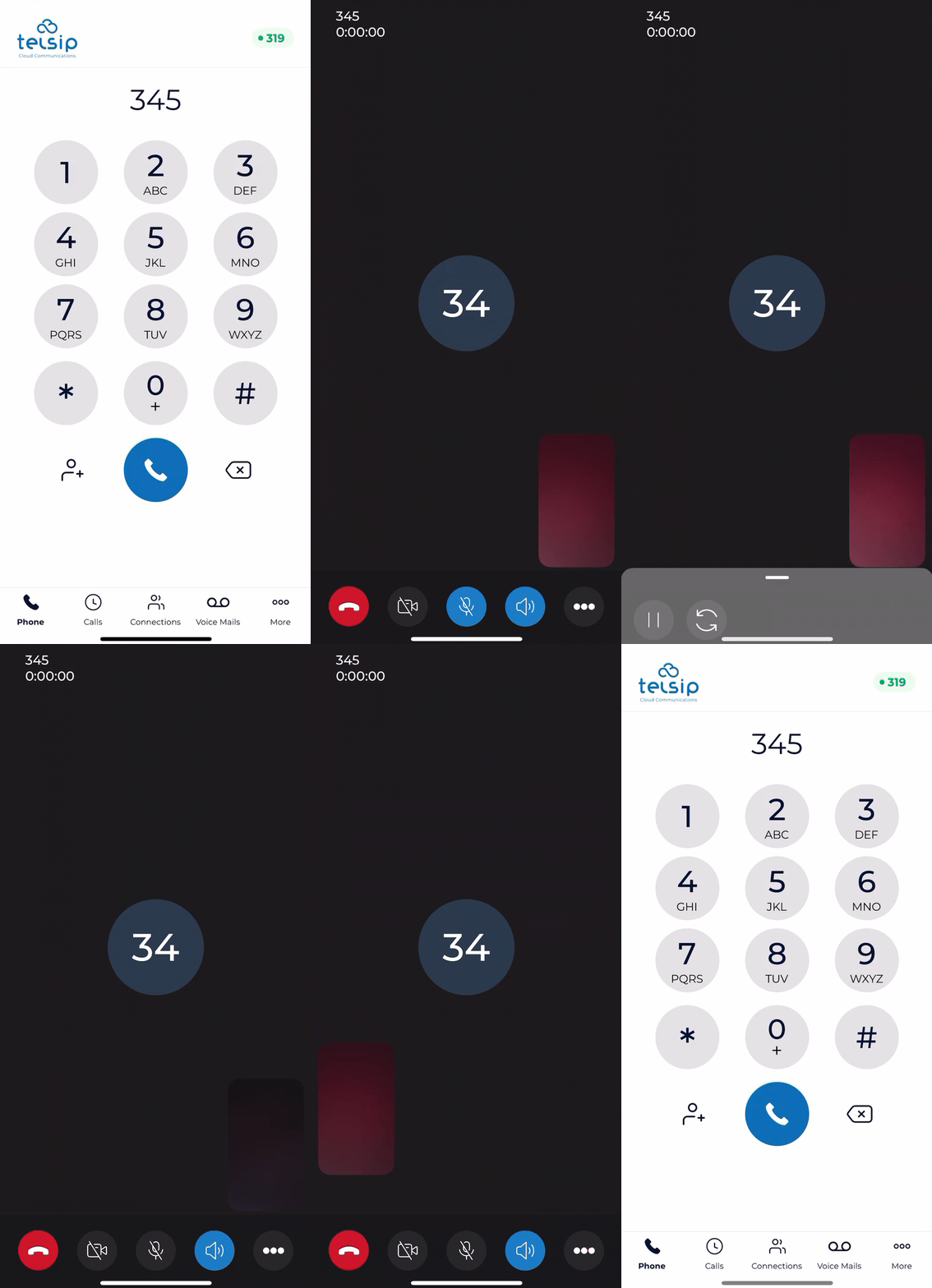
📌 Note: Speaker, Mute, and Hold are available in both audio and video calls, while camera controls and self-view options are exclusive to video calls.