• Telsip Onboarding
    • Registering a New Company on Telsip
    • Logging in to Your Company Account
    • Subscribing to Telsip Plans
    • Payment & Activation
  • Telsip User Portal
    • Dashboard
    • Spark Management
    • DID Numbers
    • Billing & Payments
      • Subscriptions
      • Wallet
      • Orders
      • Payment History
      • Payment Cards
    • Company
    • Settings
    • User Profile
  • Telsip Mobile Application
    • Application Login
    • Phone
    • Calls
    • Connections
    • Voicemail
    • More Menu
      • Accounts
      • Settings
      • Change Language
      • About App
      • Call Telsip Support
      • Chat with Telsip Support
  • Telsip Cloud PBX
    • PBX V 1.X.X
      • Overview
        • Log in to the PBX
      • System
        • Authentication
          • Users
          • Groups
          • Permissions
        • Network
          • Network Host
          • Diagnostic Tools
        • Email
        • Security
          • IP Tables
          • Fail2ban
        • VPN
        • Maintenance
        • LDAP
      • PBX
        • Extensions
        • Trunks
        • Call controls
          • Inbound Routes
          • Outbound Routes
          • Time Conditions
          • Auto CLIP
        • Call Features
          • IVR
          • Ring Group
          • Queue
          • Paging/Intercom
          • Blacklist
        • Voice Prompts
        • Music On Hold
        • NAT
        • Status
        • CDR
        • Feature Code
        • Recording Storage
        • Transport
      • Event Center
        • Session Timeout
        • Activity Log
  • Telsip Cloud Call Center
    • Call Center V 1.X.X
      • Overview
        • Log in to the call center
      • Dashboard
        • Agent Insights
        • Inbound calls
        • Outbound calls
        • My Dashboard
      • Call Center Management
        • Missed Call Actions
          • Missed Calls Actions History
          • Missed Call Actions
          • Missed Calls Actions Logs
        • Type of Break
        • Widgets
        • CDRs
        • CDR Survey Questions
        • Queues
        • Queue Logs
        • Trunk
        • External Lookup
      • Contacts Management
        • Contacts
        • Contact Groups
        • Companies
        • Contact Custom fields
        • Customer Journey
      • Authentication
        • Users
          • Admin
          • Supervisor
          • Agent
        • Groups
        • Permissions
        • Add End User
      • Applications
        • Ticket Managements
          • Create Ticket
          • Categories
            • Sub Categories
          • Reminder Settings
          • Tickets List
          • Ticket Statistics
          • Tickets CCs
          • Follow Up
          • Notifications Templates
          • Custom Fields
          • Ticket Logs
        • SMS
          • SMS Message
          • Bulk SMS
          • SMS Templates
        • Email Management
          • Outgoing Emails
          • Incoming Emails
          • Attachments
          • Templates
          • Teams
        • Auto Dialer
          • Dial Teams
          • Auto Dialer Log
          • Auto Dialer Status
        • Web Chat
          • Dashboard
          • Offline Messages
          • Web Chat Logs
        • Queue Evaluation
          • Queues Evaluation Level
          • Queues Evaluation
        • Social Media
          • Social Media Teams
          • Social Media Sessions Tracker
          • WhatsApp
        • Agent Chat
      • Reports
        • Generate Reports
      • Settings
        • Site Administration
        • Email Settings
        • Email Channel Mailbox
        • Email Channel Outbox
        • Email Logger
        • Web Chat Settings
        • SMS Gateway
        • ODBC Settings
        • System Parameters
        • Updates
        • Web Phone Configuration
        • Web Logo Settings
        • End User Logo
      • Block
        • Blocked Word
        • Block Settings
      • Status
      • Session Control
      • Activity Log

Users

126 views 0

Written by Telsip WikiAdmin
August 23, 2025

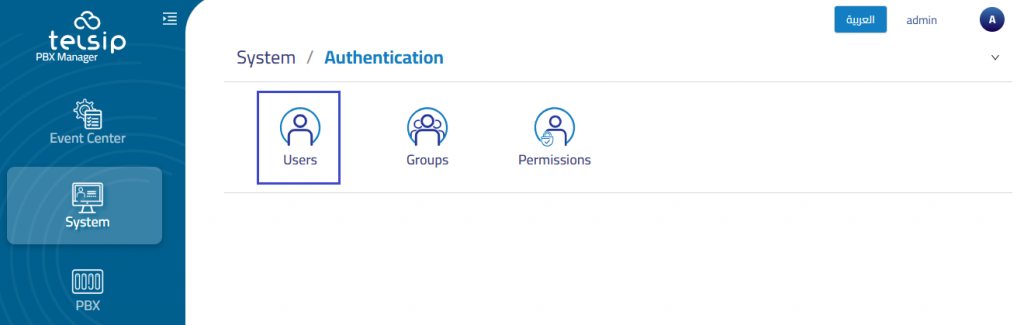
You can create and manage user accounts with specific roles and permissions.

The system includes one default admin account referred to as the Super-User, which holds the highest level of privileges.
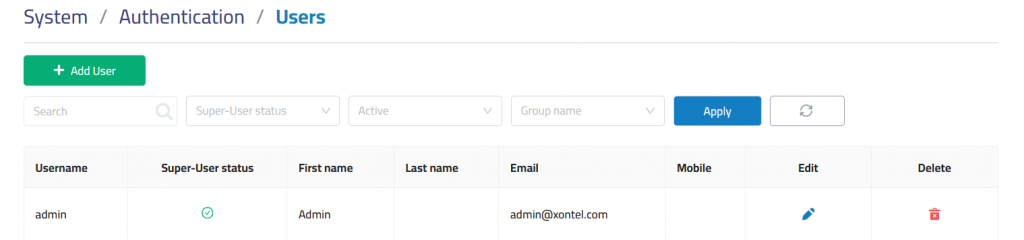
Add User

In details

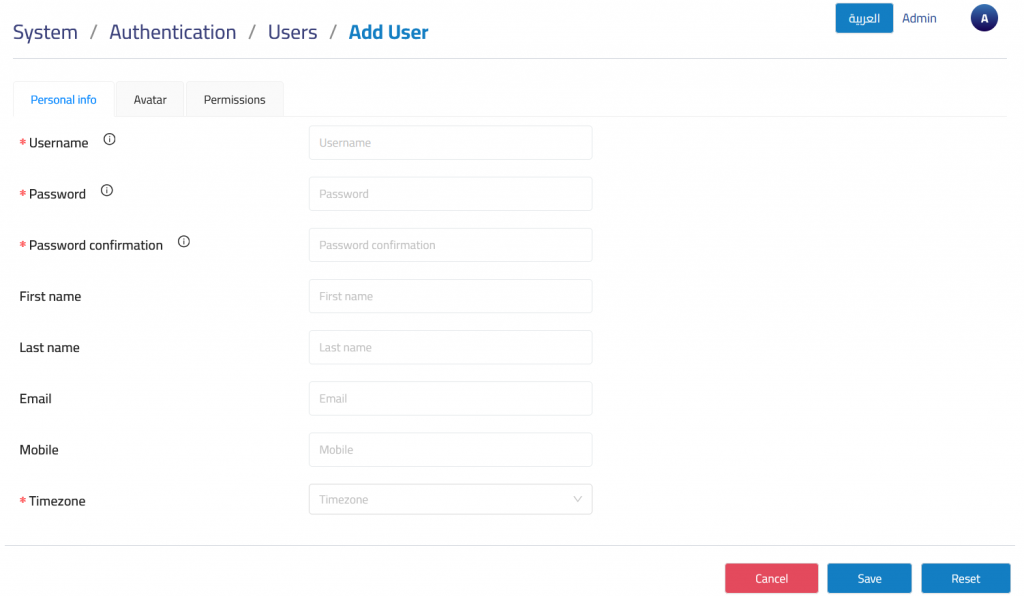
Personal info

User Name: Required for login.

Password: Required for login.

Password confirmation: Re-enter the password for verification.

First name: enter first name.

Last name: enter last name.

Email: Used for password reset functionality.

  • Note: This email address is used for resetting your password.

Mobile: Optional contact number.

Timezone: Select the user’s appropriate timezone to ensure accurate time-based actions and logs.

Avatar

Upload a profile picture to personalize the user interface.
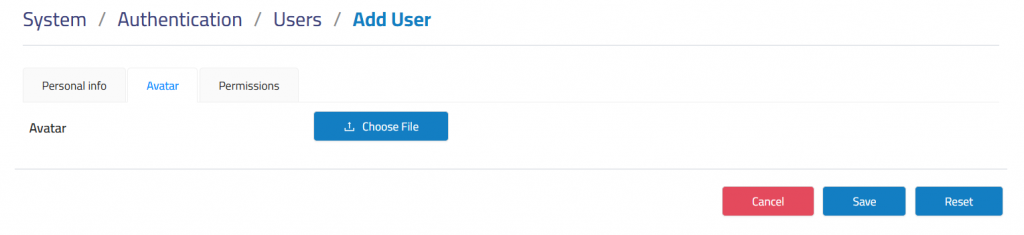
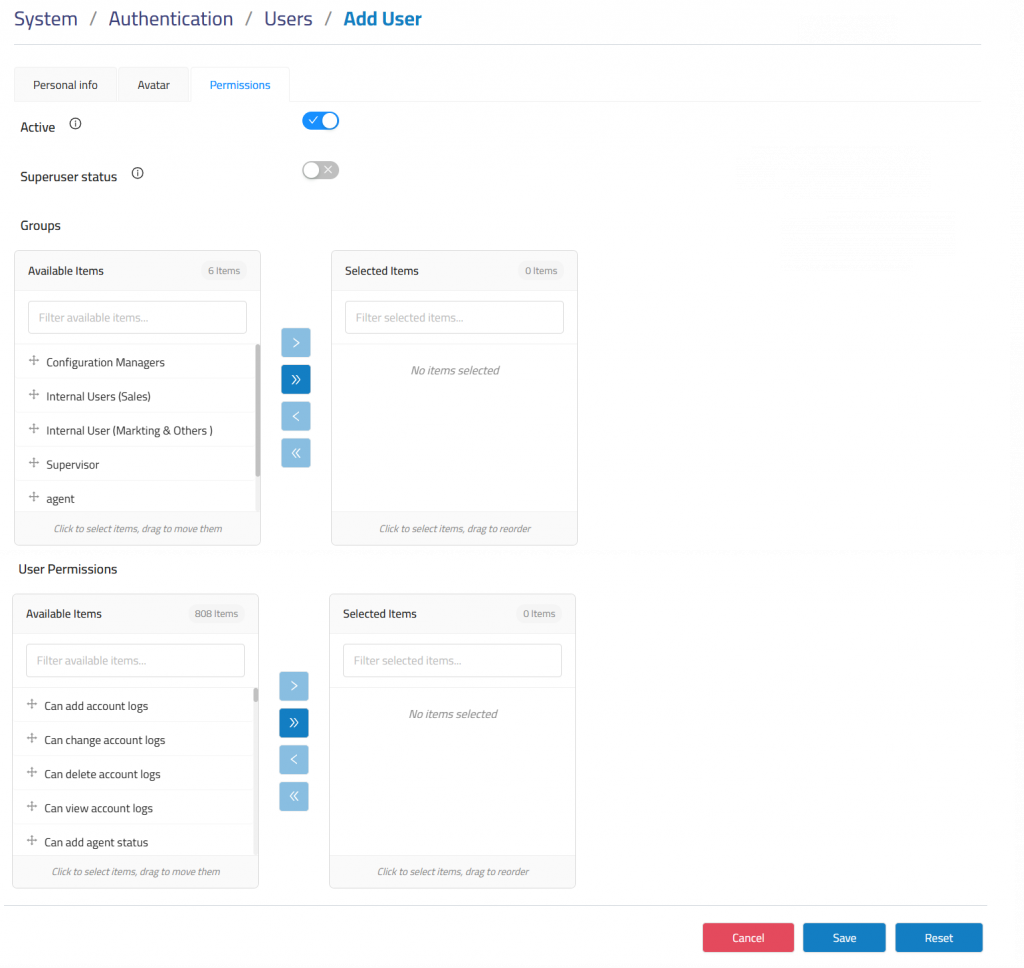
Permissions

Active: Enables or disables the user account without deleting it.

Superuser status: Provides full system access without needing to assign individual permissions.

Groups: Users can be assigned to groups that carry specific permissions.. (You can use it instead of individual user permissions).

User Permissions: Directly assign permissions to individual users.

Was this helpful?

Yes  No

Didn't find your answer? Contact Us

Previously
Authentication
Up Next
Groups
  • Copyright 2026 SmartWpThemes.com. All Rights Reserved