
The Exports page lists every contact export in your organization, and is where you download the exported files. To start a new export, go to the Contacts page and click Export.
- Download an export:
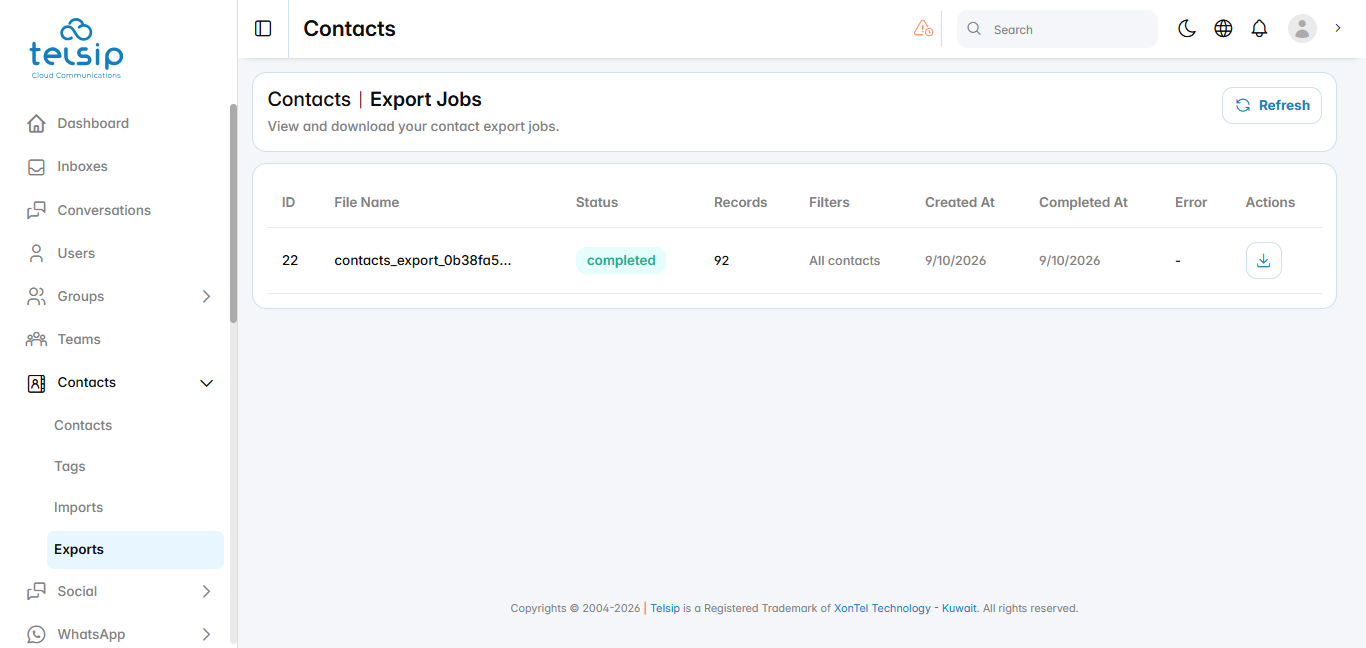
- Click Contacts from the sidebar menu, then click Exports. You can also open this page by clicking Export History on the Contacts page.
- The table shows each export’s ID, file name, status, number of records, the filters used, start and completion dates, and any errors.
- Click Refresh to update the status of your exports.
- When the status shows completed, click the download icon next to the export to save the file.
📌 Note: Exports are prepared in the background, so a large export may take a few minutes before it is ready to download.