
Administrators and Supervisors log in to the Admin Portal using the email address and password provided by their organization’s administrator. If you are an Agent, see Log in to Agent Workspace instead.
- Get your login details:
- When you subscribe to a Social Media plan from Telsip, the first Administrator account is created automatically. After a successful payment, you will receive an email with your admin login details, the platform link omni.telsip.com, and your plan details.
- All other users, including Supervisors and Agents, receive their login details from their administrator, who creates their accounts from the Users page.
- Log in using your email and password:
- Go to the Admin Portal login page.
- Enter your Email and Password. Click the eye icon to show or hide your password while typing.
- Click Login.
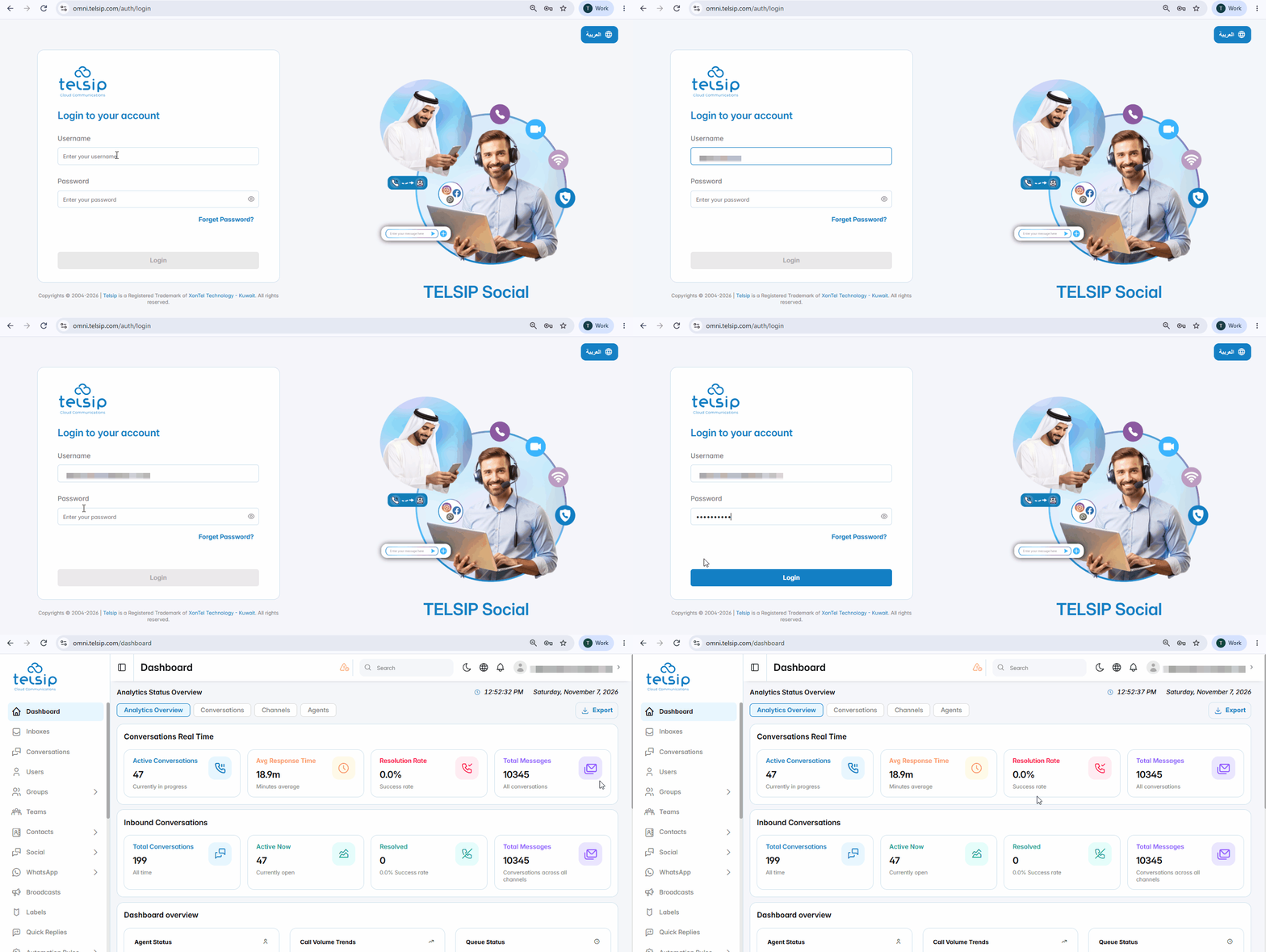
- After logging in:
- Administrators and Supervisors are taken directly to the Dashboard.
- Change the language:
- Before logging in, click عربية at the top of the login page to switch the interface to Arabic.
- After logging in, click the globe icon at the top of the page to change the language at any time.
📌 Note: If you enter a wrong email or password, an error message appears. Check your details and try again.